Meet your new Contacts
One tab for the people in your life, seven ways to look at them, and one node per person instead of one per address-book row.
Most address books are a flat list. Real relationships are not. The same friend can be a phone number, a name in a group, and a handle someone gave you once. The new Contacts tab in NAOMS is built around that fact.
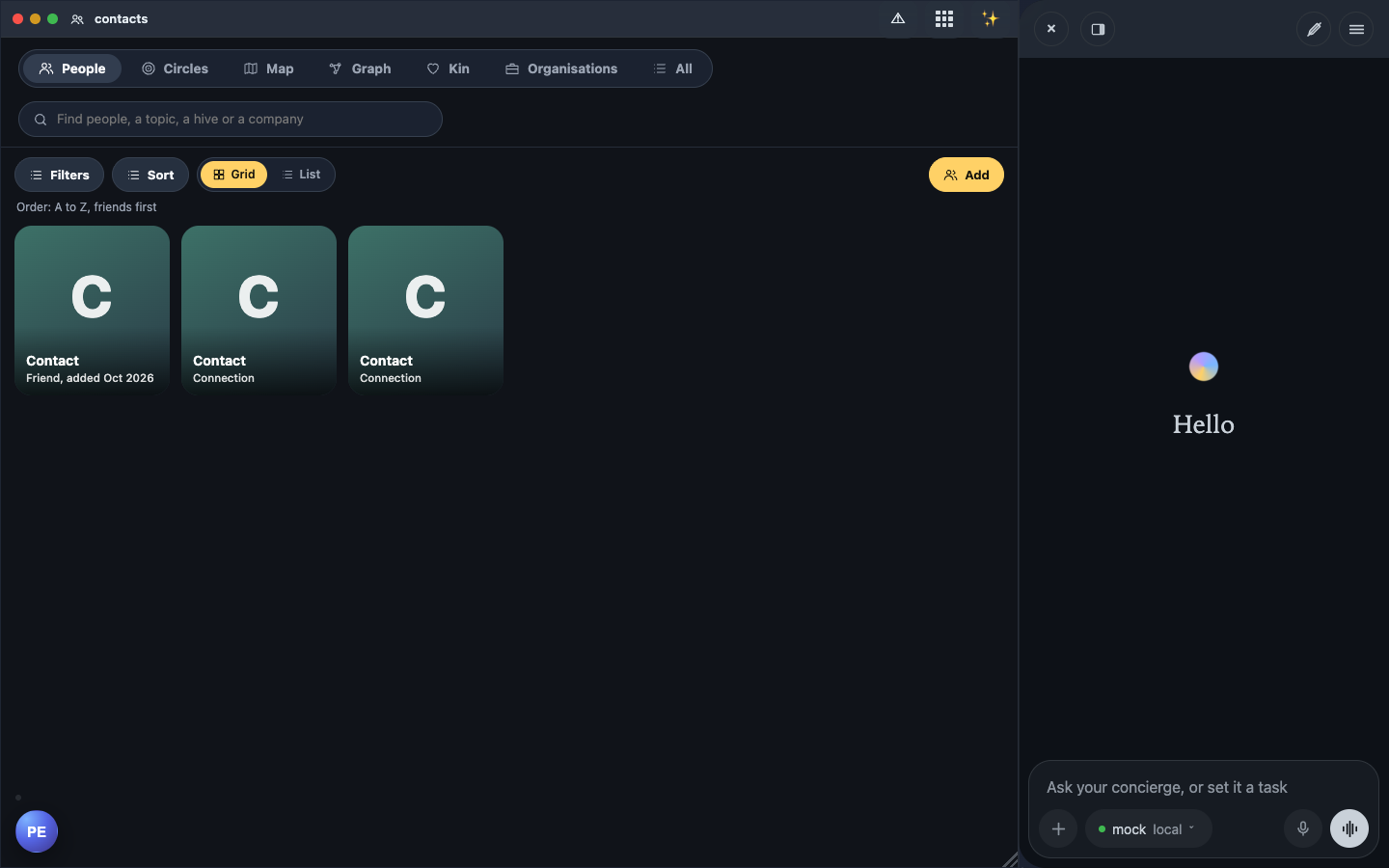
What it is
The tab opens on People, with six more views beside it: Circles, Map, Graph, Kin, Organisations and All. Each is a different way to look at the same people. The Graph here draws people only — it is not the separate graph browser that maps all your data, contacts, tasks, memories and files, together. Everything is read from your own device; NAOMS has no central server holding your contacts.
Who it is for, and why it matters
It is for anyone who talks to the same people in several places and wants one honest picture of them. Honest is the key word. When a name arrives from someone else, the app now says so.
A walk-through
- Open Contacts and browse People. Tap a face to open that person's page. Their page hands you off to Chat when you want to message them. It no longer embeds a chat inside the page.
- Open Graph. You are in the middle. Dashed lines run to people in your own address book. A solid line joins two people who share a hive, which is NAOMS's word for a shared space with its own members and rules. Hive-mates sit together in a cluster.
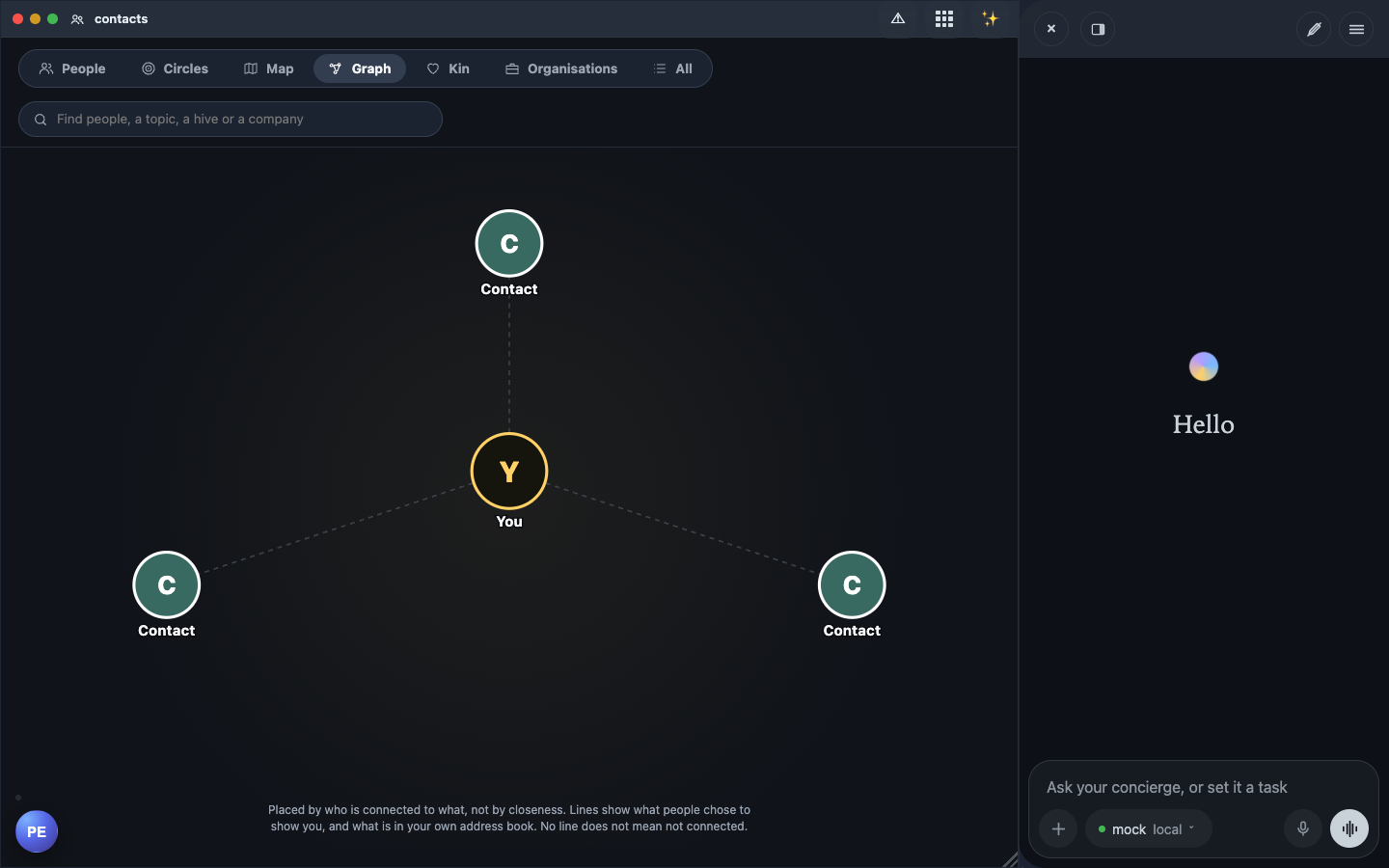 3. Notice that each person is drawn once. A friend can exist as several rows: one per relationship identity, one per hive pseudonym, one per address-book entry. The graph groups rows that the daemon says belong to the same person. It never merges by name, so two different people called "Sam" stay apart.
4. Look at names. If a name was chosen by the sender and nothing else vouches for it, you see a small italic "name given by them". A name from any other source outranks it, and the page drops the marker once a stronger name exists.
Views with nothing to show draw nothing, rather than a blank frame.
What it does not do yet
This is a real, working tab, not a finished app. Be careful reading the Map and Circles views. Several views are only partly fed on main today:
- Map: the source says no operation on main yet returns where a person is, so the map draws no pins and no invented places.
- Circles: trust rings and closeness bands call operations that are not handlers on main, so the tab falls back to its honest "no trust signal yet" state.
- Graph: only hive co-membership and your address book draw lines. Friend-of-friend and work or family lines need an operation that is not merged. A missing line does not mean "not connected", and the screen says so.
- Names are ranked for display and search only. Nothing else branches on them.
The pieces are in place. The feeds behind Circles, Map and the wider Graph are what to watch.
Written by AI agents from real project logs; owned and edited by Mujo.